
So recently I started looking into the Dark Arts. After some time I started looking into the latest technologies for writing, distributing malware and evading EDR. Historically EDR bypass has not been super difficult and a problem that does not seem to go away. I have however, not deep dive into this domain for a long time so it only make sense to start from the very beginning.
Lets write a totally not Malware.

Lets start writing some basic, not malicious programs and run them through Virustotal to get a baseline of detection. Unfortunately it seems in the current industry, False Positive and over aggressive scanners seem to be making a dent in the industry. From my initial assessment, well respected names seem to have relatively tuned their engine, but some “random” relatively unknown scanners flag almost any new PE File, as malicious.
Lets write a Hello World in C, compile it, and turn it over to VirusTotal to see how many detection we get.
#include <iostream>
using namespace std;
int main()
{
    cout << "Hello, world, from Visual C++!" << endl;
}
Before been able to compile this into a PEFile (.exe) application, we will need a working c++ compiler in Windows. Next I document some tips and tricks I needed to get this to work.
Get your Visual Studio Compiler working.

This step unfortunately took a very long trial and error. The amount of Visual Studio Compiler options are endeless, and most documentation out there are very flaky. The following is a not extensive documentation on some of the tricks and tips I needed to get this to work properly.
Download Visual Studio Installer, Install “Visual Studio Build Tools 2022”. (17,.9)
I installed Desktop Development with C++, plus some Individual Components. This were required to get the cl.exe compiler available via the CLI, which I used for both directly compiling applications and to later use pyinstaller to turn python scripts into native .exe files.

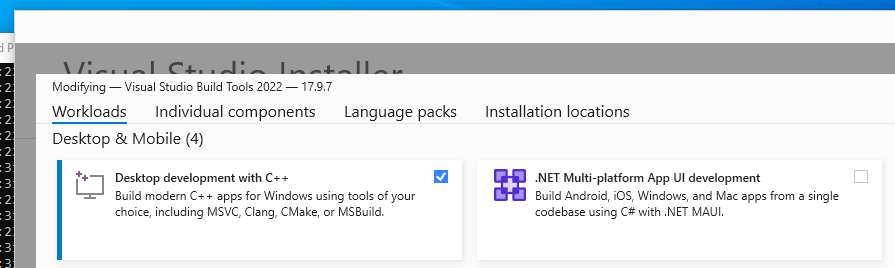

Now there’s two additional, tricks to pay attention to. You want to find your compiler, “cl.exe” and add the directory to the PATH variable.

Besides the PATH variable there are more variables that need to be set. The easiest is to run the VsDevCmd.bat inside the Common7\tools folder. This should populate the required vaiables.

Now you can finally compile your hello.cpp

Lets test our Definitely not Malicious application

Still 4 engines out of the currently 70, report our application as malicious (including Google scanner). I dont really have access to this scanners, so to reverse engineer, or do checks every bytes is not an option for me. Some of the theories of why this could happen are:
- False Positive.
- Application doesn’t perform any work, is highly suspicious (maybe we can add some math work).
- Application is not signed.
- Signature has not collected reputation.
- Entropy might be a bit weird, because app is so small.
I would say this results are still very good, since most of the detection are engines we could safely ignore. On the other hand, we have absolutely no malicious behavior here.
Test a “Reputable Application”
Lets test a reputable application, like the firefox installer.
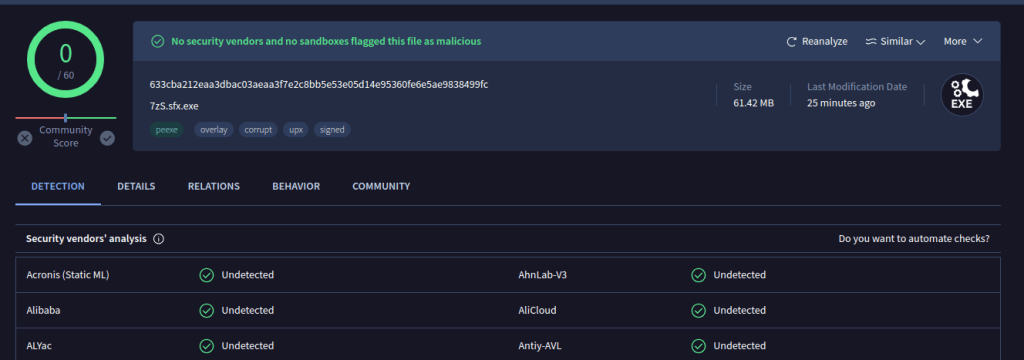
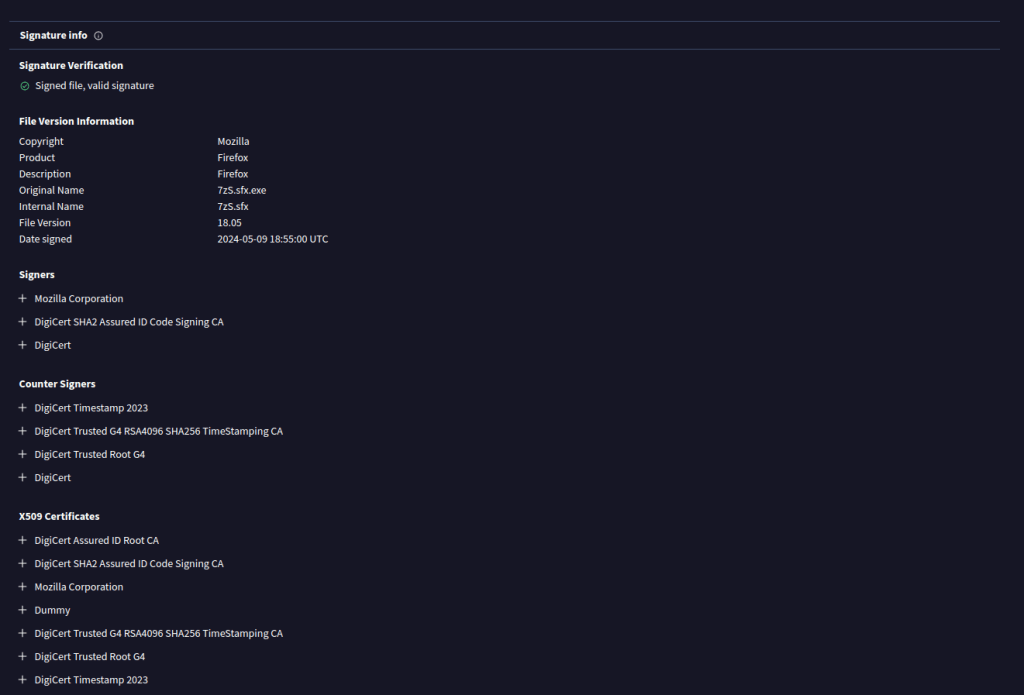
Two things that are interesting to note here:
- During the upload the file is almost inmediately answered back by all the engines, likely due to a hash match either on all the engines side, or on the VirusTotal side. But you can clearly see the answer is very quick. This is due to reputation build up.
- You can see the signature chain, is valid. I speculate this is what allows the Publisher Signature to build such a good reputation across all vendors.
Calculate a large Prime
#include <iostream>
using namespace std;
int main() {
    int n;
    int d=3;
    cout<<"insert a number n: ";
    cin>>n;
    while (d<n){
        if ((n%d)!=0) {
            d=d+2;
        }
        else
        n=n+1;
    }
    cout<<"the number: "<<n<<" is prime"<<endl;
    system ("PAUSE");
    return 0;
}
Lets play with the Entropy.
Theres a very interesting Github Project to be able to analyse the entropy of a Binary. https://github.com/mauricelambert/EntropyAnalysis

As you can see, since the application is so small, the Default behavior of the Entropy is very abnormal. Lets try to fix it, to see if we get better success.
For that we will use the following project. https://github.com/EspressoCake/EntropyFix You need to open the project in VisualStudio and Compile it. You can then run your binary through the program to lower the entropy.


Looks much better, lets look at the results now.
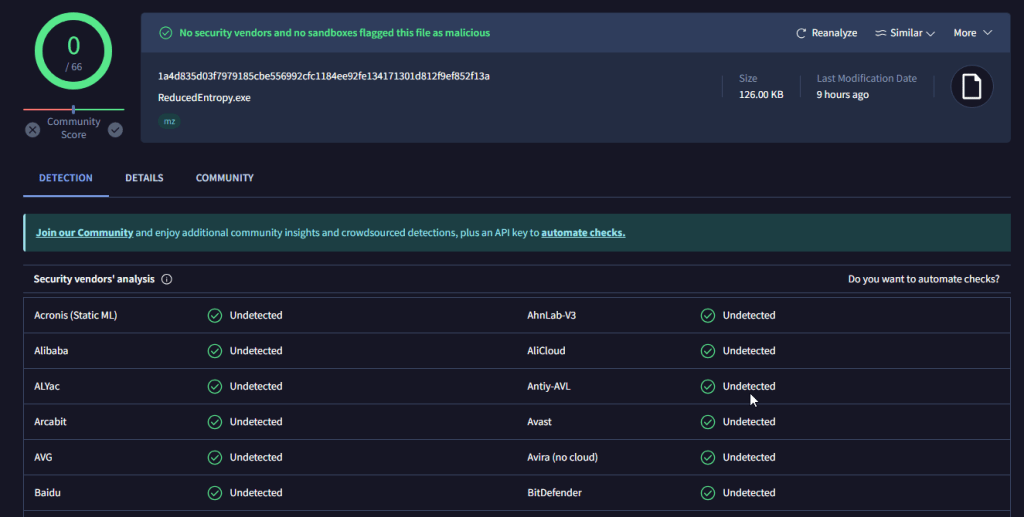
Success!!!.
Apparently the 4 engines that were triggering, they were all triggering out of Entropy. Now the Fun stuff, start adding a C0 stage, with malicious content and try to bypass detection. But that is for the next article on the series.
Other Options to Investigate in the Future:
- Add a Fake Signature on the PEFile.
- Buy a Real Code Signing Certificate, and sign the Binary.
- Warm up the Certificate through some other valid app, and build reputation.
- Use someone else application that is vulnerable to DDL Proxy.
 rothoma2 Blog
Leave a comment